Follow the Digital Edge on Google
Table of content
Interesting topics
How to Get Your Business on Google Maps in South Africa — 2026 Guide
When a potential customer in your area searches Google for the service you offer — what do they see?
If your business isn’t appearing on Google Maps they’re seeing your competitors instead. And those competitors are getting the calls, the enquiries, and the sales that should be going to you.
Getting your South African business on Google Maps is one of the most powerful and completely free things you can do to grow your local visibility. This step-by-step guide walks you through exactly how to do it — from setting up your Google Business Profile to optimising it for maximum local search visibility in 2026.
What Is Google Business Profile?
Google Business Profile — previously known as Google My Business — is the free tool Google provides for businesses to manage how they appear in Google Search and Google Maps.
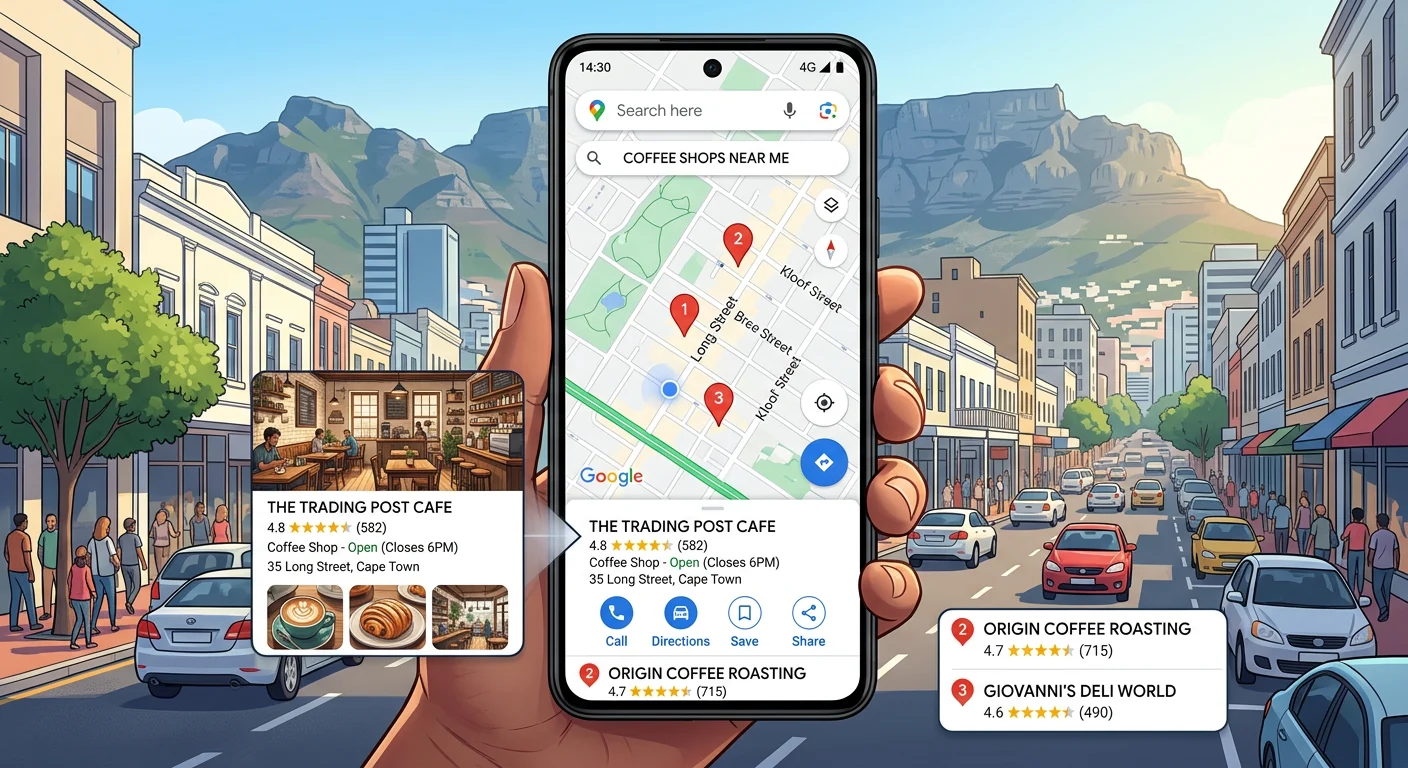
When someone searches for a business type near them — “web designer Cape Town” or “plumber Johannesburg” — Google shows a map and a list of local businesses. That map pack and those business listings are powered entirely by Google Business Profile.
Your Google Business Profile controls:
- Whether your business appears on Google Maps
- What information appears when someone searches your business name
- Your star rating and customer reviews
- Your business hours, contact details, and website link
- Photos of your business, products, or services
- Your business description and service categories
Without a Google Business Profile your business is completely invisible on Google Maps — regardless of how good your website is.
Why Google Maps Matters for South African Businesses
Google Maps is not just a navigation tool. For South African consumers it is one of the primary ways to discover and evaluate local businesses before making contact.
Consider how your own customers behave. When they need a local service they search Google, see the map pack of nearby businesses, check the star ratings, read a few reviews, and contact the business that looks most trustworthy. If you’re not in that map pack — you’re not in the consideration set at all.
Here is why Google Maps matters specifically for SA businesses in 2026:
- Local search intent is the highest value traffic When someone searches “electrician near me” or “accountant Cape Town” they are ready to spend money right now. This is the highest intent traffic available — and Google Maps captures it directly.
- Mobile searches drive walk-ins and calls Most Google Maps searches happen on mobile phones. A well-optimised Google Business Profile includes a one-tap call button and directions — making it effortless for mobile searchers to contact your business immediately.
- Reviews build trust before first contact South African consumers increasingly rely on Google reviews to decide which businesses to contact. A business with 20 positive reviews will consistently outperform a business with no reviews — even if the unreviewed business is objectively better.
- It’s completely free Unlike Google Ads or social media advertising, Google Business Profile costs nothing. It is the highest return on investment digital marketing activity available to any South African small business.
Step 1 — Create Your Google Business Profile
Go to business.google.com
- Visit business.google.com on your computer or phone
- Sign in with your Google account — or create one if you don’t have one
- Click Manage now or Add your business
- Enter your business name exactly as it appears on your signage and website
Important: Use your exact legal business name. Avoid adding keywords to your business name — for example “YCIK Digital — Web Design Cape Town” — as Google considers this spam and may suspend your listing.
Step 2 — Choose Your Business Category
Your primary business category is one of the most important ranking factors in Google Maps.
Choose the category that most accurately describes your core service.
Tips for choosing the right category:
- Be as specific as possible — “Web Designer” is better than “Computer Service”
- Choose the category your customers would use to search for you
- You can add secondary categories later — start with the most accurate primary category
- Check what categories your top competitors are using for guidance
Common SA business categories:
| Business Type | Recommended Category |
|---|---|
| Web design agency | Web Designer |
| Plumber | Plumber |
| Accountant | Accounting Firm |
| Restaurant | Restaurant |
| Beauty salon | Beauty Salon |
| Attorney | Law Firm |
| Estate agent | Real Estate Agency |
| Digital marketing | Internet Marketing Service |
Step 3 — Add Your Business Location
Google will ask whether you have a physical location customers can visit or whether you serve customers at their location.
Option A — Physical location
If you have a shop, office, or premises customers visit — add your full street address. This makes your business appear on Google Maps at your exact location.
Option B — Service area business
If you go to your customers rather than them coming to you — such as a plumber, electrician, or delivery service — select “I deliver goods and services to my customers.” Then add the areas you serve by city, suburb, or radius.
Option C — Both
If you have a physical location AND serve customers at their premises — you can add both your address and your service areas.
Step 4 — Add Your Contact Details
Add your phone number and website URL accurately. These appear directly on your Google Maps listing and on your knowledge panel in Google Search.
Important for SA businesses:
- Use your primary South African phone number in international format — +27 followed by your number
- Add your website URL — this links directly to your website from your Maps listing
- Double check these details are identical to what appears on your website — consistency across all platforms is an important local SEO signal
Step 5 — Verify Your Business
Google requires you to verify that you are the legitimate owner of the business before your listing goes live. Verification options for South African businesses in 2026 include:
Postcard verification Google mails a postcard with a verification code to your business address. This typically takes 5 to 14 days for South African addresses. When you receive it enter the code in your Google Business Profile dashboard.
Phone or SMS verification Available for some business types — Google calls or texts your business phone number with a verification code.
Email verification Available for some business types — Google sends a verification code to your business email.
Video verification Google may request a short video showing your business location, signage, and equipment as proof of legitimacy.
Instant verification If your business website is already verified in Google Search Console you may be eligible for instant verification.
Important: Do not skip verification. An unverified listing does not appear on Google Maps and has no visibility in local search results.
Step 6 — Complete Your Profile Fully
Once verified you need to complete every section of your Google Business Profile. Google rewards complete profiles with higher rankings. Here is what to fill in:
Business description Write a clear 750-character description of your business covering what you do, who you serve, and what makes you different. Include your primary keywords naturally — but write for customers first, not for Google.
Example for a web design agency:
YCIK Digital is a South African web design and digital marketing agency helping businesses grow online. We offer professional website design, SEO, web hosting, AI chat assistants, Facebook ads management, and website maintenance for businesses across South Africa. Websites from R3,500. Free quotes within 24 hours.
Business hours Add your accurate opening hours including Saturday and Sunday if applicable. Update these for public holidays — Google allows you to set special hours for specific dates.
Services Add each of your services individually with a name, description, and price if applicable. This helps Google match your listing to specific service searches.
Products If you sell physical or digital products add them with photos and prices. This creates a product catalogue visible directly on your Maps listing.
Attributes Google provides a list of attributes relevant to your business category — things like “Women-led,” “Online appointments available,” “Free Wi-Fi,” and similar. Tick every relevant attribute.
Step 7 — Add Photos
Businesses with photos receive significantly more clicks and enquiries than those without. Google recommends adding at least 10 photos to your profile — here is what to include:
Logo Your brand logo — clear, on a white background, square format.
Cover photo Your best brand image — this is the first photo customers see on your profile. Use a professional photo that represents your business well. Optimal size is 1080 x 608 pixels.
Business photos Photos of your office, workspace, or team. For service businesses — photos of you at work, your equipment, or your team.
Product or service photos For web designers — screenshots of websites you’ve built. For restaurants — photos of your dishes. For beauty salons — before and after photos.
Team photos Professional photos of your team build trust and personalise your business.
Photo tips:
- Use high resolution photos — minimum 720 x 720 pixels
- Never use stock photos — use real photos of your actual business
- Add new photos regularly — Google rewards active profiles
- Avoid heavy filters or overlaid text
Step 8 — Collect Google Reviews
Google reviews are one of the most powerful local SEO ranking factors — and the single biggest trust signal for South African consumers evaluating local businesses.
How to get more Google reviews:
Ask directly after a positive interaction The most effective method. After completing a project or service ask your client directly — in person, via WhatsApp, or by email — to leave a Google review. Make it easy by sending them a direct link to your review page.
Create a direct review link
- Go to your Google Business Profile dashboard
- Click Get more reviews
- Copy your review link
- Share this link with every satisfied client
WhatsApp message template:
“Hi [Name], thank you for choosing us — it was great working with you! If you have a moment we’d really appreciate a Google review. It makes a huge difference for our business. Here’s the direct link: [your review link] — it only takes 30 seconds. Thank you!  “
“
Set a reviews target Aim for a minimum of 10 Google reviews as quickly as possible. Businesses with 10 or more reviews rank significantly higher in local search results than those with fewer.
Respond to every review Respond to every Google review — positive and negative. Responses show Google and potential customers that you are an active, engaged business owner who cares about client feedback.
Step 9 — Post Regular Updates
Google Business Profile allows you to post updates — similar to social media posts — directly on your listing. Regular posts signal to Google that your business is active and engaged.
Types of posts to publish:
- Offer posts Promotions, special deals, and limited-time offers. These display prominently on your listing and attract clicks.
- Update posts News about your business — new services, team additions, achievements, or general updates.
- Event posts If you run workshops, webinars, or events — post them here with the date, time, and a link to register.
- Product posts Highlight specific products or services with a photo, description, and call to action.
- Post at least once per week — consistent posting keeps your profile active and signals relevance to Google’s local ranking algorithm.
Step 10 — Monitor and Optimise
Once your Google Business Profile is live and active monitor your performance regularly:
Google Business Profile Insights Your dashboard shows how many people viewed your profile, searched for your business, clicked on your website, requested directions, and called your number. Review this monthly.
Key metrics to track:
| Metric | What It Tells You |
|---|---|
| Search queries | What people searched to find your listing |
| Views | How many times your profile was seen |
| Website clicks | How many people visited your website from Maps |
| Calls | How many people called directly from your listing |
| Direction requests | How many people got directions to your location |
| Photo views | How often your photos are seen |
Common Google Business Profile Mistakes SA Businesses Make
Using a keyword-stuffed business name Adding keywords like “Best Plumber Cape Town” to your business name violates Google’s guidelines and can result in your listing being suspended.
Inconsistent NAP information NAP stands for Name, Address, Phone — and these three pieces of information must be identical everywhere they appear online. Your website, your Google Business Profile, your social media, and all directory listings must show exactly the same business name, address, and phone number.
Never responding to reviews Not responding to reviews — especially negative ones — signals to potential customers that you don’t care about feedback. Always respond professionally and promptly.
Using stock photos Google can detect stock photos and customers can tell the difference. Use real photos of your actual business.
Ignoring the Q&A section Google allows anyone to ask questions on your listing — and anyone can answer them. Monitor your Q&A section regularly and answer questions accurately before someone else does.
Setting incorrect business hours If your listed hours are wrong and a customer arrives to find you closed you have damaged trust and likely lost that customer forever. Keep your hours accurate and update them for public holidays.
How Google Maps Rankings Work
Getting your business on Google Maps is the first step — ranking highly in the local map pack is the next. Google determines local rankings using three main factors:
Relevance How well your business profile matches what the searcher is looking for. This is why choosing the right business category and writing a keyword-rich description matters.
Distance How close your business is to the searcher’s location. This is why service area businesses need to set their service areas accurately.
Prominence How well-known and trusted your business is — determined by your number of reviews, your review score, the completeness of your profile, and the authority of your website.
Google Maps and GEO — The Connection
In 2026 your Google Business Profile does more than just help you rank on Maps. It is also a key input for Google’s AI systems — including Google AI Overview and Google’s local AI assistant responses.
When someone asks Google AI “who is the best web designer in Cape Town” — Google pulls data from Google Business Profiles, website content, reviews, and structured data to formulate its answer. A complete, optimised Google Business Profile with strong reviews and accurate information significantly increases your chances of being cited in these AI-generated local recommendations.
At YCIK Digital we include Google Business Profile optimisation as part of our SEO and GEO service packages — ensuring your local presence is fully optimised for both traditional Maps rankings and AI-generated local recommendations.
Final Thoughts
Getting your South African business on Google Maps is one of the highest-impact, lowest-cost marketing actions available to you in 2026. It is free to set up, free to maintain, and can generate a consistent stream of local enquiries from customers who are actively searching for exactly what you offer.
The businesses that have complete, well-optimised, actively managed Google Business Profiles consistently outrank and out-convert their competitors in local search — regardless of industry.
If your business is not on Google Maps yet — set it up today. If it is on Google Maps but your profile is incomplete or inactive — the optimisation steps in this guide will make a meaningful difference to your local visibility within weeks.
Need help setting up or optimising your Google Business Profile?
YCIK Digital includes Google Business Profile setup and optimisation as part of our SEO and GEO packages for South African businesses — starting from R1,500 per month.